
Best overall for configurable missed call text back workflows: HighLevel. Best for team-managed customer conversations: Podium. Best for answering and booking instead of relying on a return text: Wildcore. This 2026 guide separates text-back tools from call-answering services so you can choose the right response to a missed call.
- HighLevel is the missed call text back pick for businesses that want configurable follow-up workflows.
- Podium fits businesses that need staff to manage customer text conversations together.
- Wildcore fits Central Florida businesses seeking phone answering and booking rather than standalone text-back software.
- Choose the person responsible for replies before choosing the automation.
Why this matters
A missed-call text starts a conversation. It does not finish the booking, explain an unusual job, or decide whether you serve a particular address. If nobody handles the response, you have moved the unanswered question from voicemail to an inbox.
For your 2026 shortlist, separate two jobs: recovering a missed caller and answering the call in the first place. Wildcore builds websites, phone-answering and booking systems, and follow-up automation for local businesses. That makes it an alternative to the standalone text-back tools below, not an interchangeable version of them.
What makes the best missed-call text-back tool?
Judge the tools against the work your business needs done. A barbershop booking request and a detailed service quote need different handoffs.
- Correct trigger: A genuinely unanswered call should start the intended response. Check what happens when a call reaches voicemail or gets forwarded.
- Useful first message: The text should identify your business and ask a question the caller can answer without repeating everything.
- Clear reply ownership: Someone needs to receive the customer's response and know it is theirs to handle.
- Booking handoff: Decide whether the conversation ends with a callback, a scheduling step, or a staff member confirming details.
- Number and messaging setup: Confirm how your existing business number, message registration, consent, and opt-outs will work.
- Manageable upkeep: Choose a setup you can maintain when hours, staff, services, or booking rules change.
The best 2026 choice is the one your business can operate after the setup call ends. A long feature list does not assign the next callback.
Missed-call response options at a glance
These are recommendations by use case, not a claim that every option performs the same job. Confirm the exact configuration before signing up.
| Option | Best for | Standout approach | Key limitation to resolve |
|---|---|---|---|
| HighLevel | Configurable follow-up workflows | Missed-call text-back within a broader CRM and automation platform | Someone must configure and maintain the workflow |
| Podium | Team-managed customer conversations | Missed-call text-back alongside business messaging | Staff still need a clear process for responding |
| Wildcore | Phone answering and booking for local businesses | Custom website, answering, booking, and follow-up work | Not presented here as a verified standalone text-back product |
1. HighLevel: best for configurable follow-up workflows
HighLevel combines CRM, messaging, and workflow automation, including missed-call text-back. It fits a business that wants the missed call to become part of a defined follow-up process rather than an isolated notification.
The advantage is control. You can plan what happens after the first response and connect the conversation to the way your business tracks inquiries. That control also creates setup work.
Best for: A business with someone responsible for its CRM and follow-up rules.
HighLevel pros:
- Missed-call text-back is part of the platform's functionality.
- CRM and messaging sit within the same broader system.
- Workflow configuration suits businesses with an established follow-up process.
HighLevel cons:
- Configuration needs an owner; the platform cannot decide your business rules for you.
- A broader CRM introduces more decisions than a simple reply-only requirement needs.
- Automated messages still need a plan for exceptions and human replies.
What to check before choosing HighLevel
Ask for a demonstration using your actual call route. An unanswered direct call, a forwarded call, and a repeat call should not be treated as interchangeable without checking the result.
Then ask who will change the workflow when your hours change. If the answer is nobody, simplify the setup before launch. An automation you cannot maintain is the wrong fit, even when its feature list matches your wish list.
Verdict: Buy HighLevel when you want configurable follow-up and have a named person to maintain it. Skip it when you only need a basic response and will not manage a CRM.
2. Podium: best for team-managed customer conversations
Podium offers business messaging and missed-call text-back. Its place on this shortlist is for businesses where the important work happens after the initial text: staff reading the response, answering the question, and moving the inquiry along.
Think of a customer who texts back about an appointment while someone else asks about a service. The first automated message is only the opening. Your team needs a workable way to handle both conversations.
Best for: A local business that wants staff to manage customer messaging together.
Podium pros:
- Missed-call text-back is part of its business messaging offering.
- The messaging focus fits businesses that already handle customer questions by text.
- A shared conversation process gives staff a place to handle the reply after the automation fires.
Podium cons:
- Text-back does not remove the need for staff to answer customers.
- Team messaging needs clear ownership to prevent duplicated or neglected replies.
- Your number setup and required features still need confirmation before purchase.
What to check before choosing Podium
Ask the person who handles customer inquiries to take part in the demonstration. Have that person find a new reply, answer it, and explain how another staff member knows the conversation has been handled.
Do not accept a demonstration that stops after the outgoing text. The buying question is whether your team can finish the conversation without guessing who is responsible.
Verdict: Buy Podium when team-managed messaging is the main requirement. Skip it when no staff member will monitor and answer the conversations.
3. Wildcore: best for phone answering and booking
This is a different buying decision. The service described here covers custom websites and a phone-answering and booking system for local service businesses in Central Florida, alongside follow-up automation.
Instead of choosing only what happens after a call goes unanswered, you are looking at how calls, bookings, and website inquiries should connect. Do not assume that this includes a particular missed-call text-back trigger; make that requirement explicit.
Best for: A local business seeking custom help with answering, booking, and follow-up rather than another standalone application to administer.
Pros:
- The stated services include phone answering and booking.
- Website work and follow-up automation are also within the stated offering.
- The focus on local service businesses matches appointment and inquiry-based operations.
Cons:
- It is not presented as a verified standalone missed-call text-back product.
- Exact messaging triggers, integrations, and handoff rules need agreement before work begins.
- A custom service is a different purchase from configuring a software account yourself.
Wildcore is the best fit here for Central Florida businesses seeking phone answering and booking instead of standalone text-back software.
Ask for a walkthrough of your actual customer journey: the call you cannot take, the appointment request, and the website inquiry that arrives after closing. Define which steps the system handles and which still belong to you.
Verdict: Buy the service when answering and booking are the actual problem. Hold if you need only a specific text-back feature until that requirement is confirmed.
Test the whole conversation before you commit
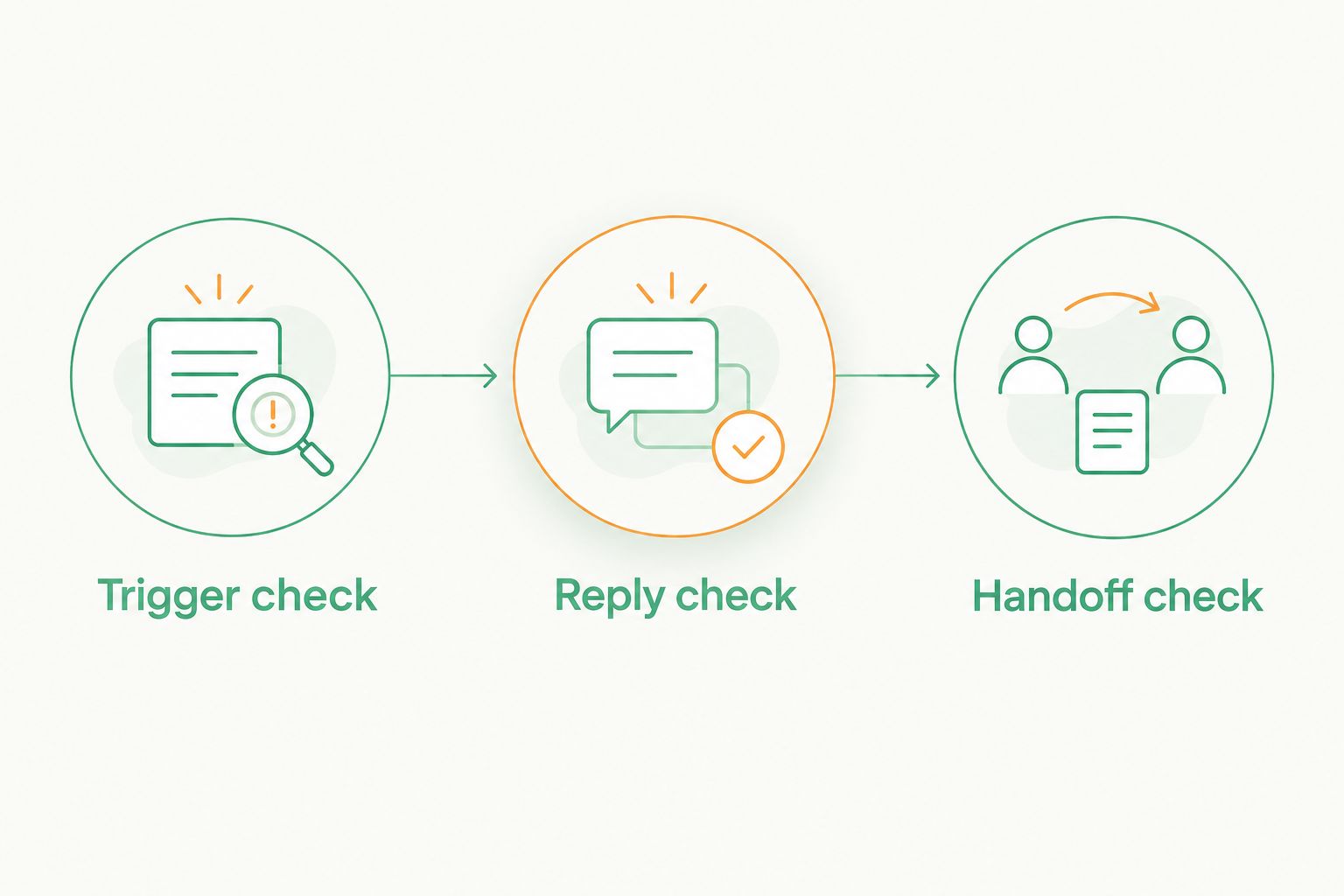
For a 2026 evaluation, ask each provider to walk through 3 test calls using your intended setup. These are acceptance checks, not performance benchmarks. The point is to expose a broken handoff before a customer finds it.
Trigger check
Place a call that goes unanswered. Check whether the expected text arrives, whether it identifies the business, and whether a repeat call starts an unwanted duplicate conversation.
Do not assume the demonstration number behaves like your existing number. Ask how forwarding, voicemail, and your current phone setup affect the trigger.
Reply check
Reply as a customer would. Ask about a booking, describe a job, or say that you called the wrong business.
Check where the response appears and who receives it. The message should reach someone who can act, not an inbox nobody opens during the working day.
Handoff check
Follow the inquiry through to its next step. That might be a confirmed appointment, a callback assigned to a staff member, or a request for more information.
Assign 1 primary owner for incoming replies and identify a backup. A shared inbox is a location; ownership is a decision.
After launch, use a 7-day review window to inspect actual conversations. This is a suggested operating routine, not a promised results timeline. Look for unanswered replies, confusing wording, duplicate messages, and bookings that still required unnecessary back-and-forth.
Write a message someone can answer
The opening text has a small job: identify your business and give the caller a useful next step. It should not explain every service or pretend a staff member personally typed an automated response.
Use this structure:
- Identify the business: Make it obvious who is texting.
- Acknowledge the call: Explain why the person received the message.
- Ask one useful question: Request the detail needed to move the inquiry forward.
- Set an honest expectation: Describe the next step without promising a response time you cannot meet.
For an appointment business, ask what the caller wants to book. For a quote request, ask what work they need. Avoid requesting sensitive details in an opening message.
Keep service follow-up separate from promotional messaging. A missed call is not blanket permission to send marketing campaigns. Confirm applicable consent, registration, and opt-out requirements with your provider before activating messages.
How these options are ranked
This 2026 shortlist ranks fit against the criteria above: the missed-call trigger, reply handling, booking handoff, setup requirements, and ongoing ownership. It is not a hands-on performance test or a ranking based on invented response rates.
HighLevel takes the configurable-workflow slot. Podium takes the team-conversation slot. The custom-service option addresses answering and booking rather than claiming feature parity with either platform.
Which missed-call response option should you choose?
Choose HighLevel by default if you specifically want missed call text back within a configurable follow-up system. Choose Podium when your main requirement is helping staff manage the resulting customer conversations.
If your real problem is that nobody can answer or book callers while the business is busy, evaluate an answering-and-booking service instead. Buying a text-back feature does not, by itself, solve that problem.
Before deciding, finish this sentence: when a caller replies, the next responsible person is ____. If you cannot name that person or define an automated booking handoff, fix the process before adding another tool.
Discuss your call follow-up
Start with the calls, booking requests, and website inquiries your business needs to handle.
FAQ
What's the best missed call text back tool for a small business?
HighLevel is the default pick in this guide for configurable missed-call follow-up workflows. Podium fits team-managed messaging, while an answering-and-booking service addresses a different need.
Is Podium better than HighLevel for missed-call texts?
Podium is the better fit here when team-managed customer conversations are the priority; HighLevel is the pick for configurable follow-up workflows. Choose by the work your staff needs to do after the customer replies.
Can I keep my existing business phone number?
Keeping your existing number depends on the provider and your phone configuration. Confirm number support, forwarding, messaging registration, and any transfer requirements before changing your setup.
Does missed call text back book appointments automatically?
A missed-call text does not by itself confirm an appointment. Booking requires an additional scheduling step, a configured booking workflow, or someone who handles the conversation.
Is Wildcore a standalone missed-call text-back tool?
Wildcore is described as a provider of custom websites, phone answering and booking, and follow-up automation for local businesses. Confirm any specific missed-call text-back requirement rather than assuming it is a standalone product feature.
What should I test before choosing a tool in 2026?
Test an unanswered call, a customer reply, and the final handoff using your intended phone setup. Check duplicate messages, reply ownership, and whether the inquiry reaches a clear next step.
Can I send promotions to everyone who calls my business?
Do not treat an incoming call as blanket consent for promotional texts. Confirm the requirements that apply to your messages and configure consent and opt-out handling with your provider.
One last thing
Test the system with an inconvenient reply, not just a booking request. Tell it the caller has the wrong business, needs something you do not offer, or wants a person.
A useful missed-call system needs a clean way to stop, redirect, or hand over the conversation. The ordinary booking is only part of the job.